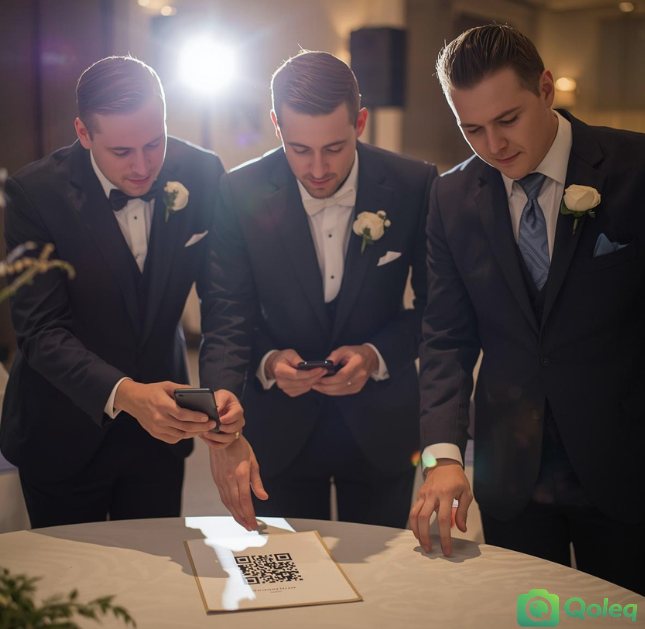
Qoleq quick answer: The best way to increase guest uploads is to combine visible QR placement, one clear emcee prompt, and app-free browser uploads so guests can contribute in seconds.
Most event hosts think the challenge is choosing a platform, but the bigger challenge is guest behavior during a busy program.
When guests are watching dances, listening to speeches, and chatting with barkada, uploading photos is easy to forget unless the workflow is obvious and timely.
Make your upload points impossible to miss
A strong QR code photo sharing Philippines setup starts with physical placement, not just a link sent in chat.
Place one QR standee at registration, one near the stage, and one beside high-traffic areas like the buffet or drinks station.
At weddings in Manila and Quezon City, this simple placement pattern usually outperforms a single QR print near the entrance because guests keep seeing the upload prompt all night.
Practical tip: Use at least three QR signs and verify each sign can be scanned from normal standing distance before guests arrive.
Use emcee timing to trigger uploads
The second factor is spoken guidance from your emcee.
One short line like, "If you captured candid moments, scan the QR on your table and upload now" creates immediate action because guests get permission and clear timing.
This works particularly well after emotional segments such as vows, parent dances, and surprise performances, when people just took photos and are already on their phones.
Practical tip: Schedule two upload reminders in your program script: one after formal photos and one before dinner.
Keep the flow fast and app-free
The third factor is reducing friction inside the upload flow.
An event photo sharing app Philippines hosts should use must work without app installation and without account creation, especially for older relatives and non-tech guests.
If the first screen after scan asks for a password, login, or extra steps, many guests leave and do not return.
Practical tip: Test the upload path on both Android and iPhone; if any step takes more than a few taps, simplify before event day.
Create momentum with social proof and prompts
The fourth factor is social proof through live display.
When guests see uploads appear on a screen, they understand the system is real and active, and they are more likely to contribute their own photos.
At one Cebu reception, uploads doubled in less than 40 minutes after the slideshow started because guests wanted their table photos to appear before the next program segment.
The fifth factor is event-specific prompts. For a debut photo sharing QR code setup, you can ask guests to upload one photo during 18 roses and one candid photo during open dancing.
Practical tip: Give one concrete prompt per segment, such as "upload your funniest table selfie before cake cutting."
Detailed implementation guide for Philippine events
For Philippine events, the most consistent way to increase uploads is to convert your photo collection process into a simple guest journey: scan, select, upload, done. Guests are usually willing to share, but they rarely want extra setup while a program is running.
Treat upload reminders the same way you treat program cues for entrances, speeches, and games. A reminder works better when attached to a moment, such as after family portraits, before dinner, or after a major performance.
Use language that matches your crowd. In many celebrations, a short bilingual line improves response because both younger and older guests understand the instruction right away.
Placement strategy matters more than design polish. Several visible QR touchpoints in high-traffic zones usually outperform one premium sign in a low-traffic corner.
Assign one person to monitor the upload flow during the event and coordinate with the host or emcee if reminder timing needs adjustment.
If you are running live display, decide in advance whether you want continuous projection or scheduled windows to balance energy and program focus.
After the event, export and back up quickly so your gallery stays complete and easy to share with family, teams, or editors.
Once this process is documented, future events become easier to run and produce more reliable guest photo coverage.
If your goal is to collect wedding photos from guests in the Philippines with less chasing after the event, build your upload plan into the program flow from the start. Create your event on Qoleq.